
Subscribe to your school calendar
Never miss an important date again!
Subscribe to your child's school calendar to get all of the important dates right into your Outlook, Google, or Apple calendar.
Here's How:
- Go to your child's school website (See List of Schools)
- Find the school calendar
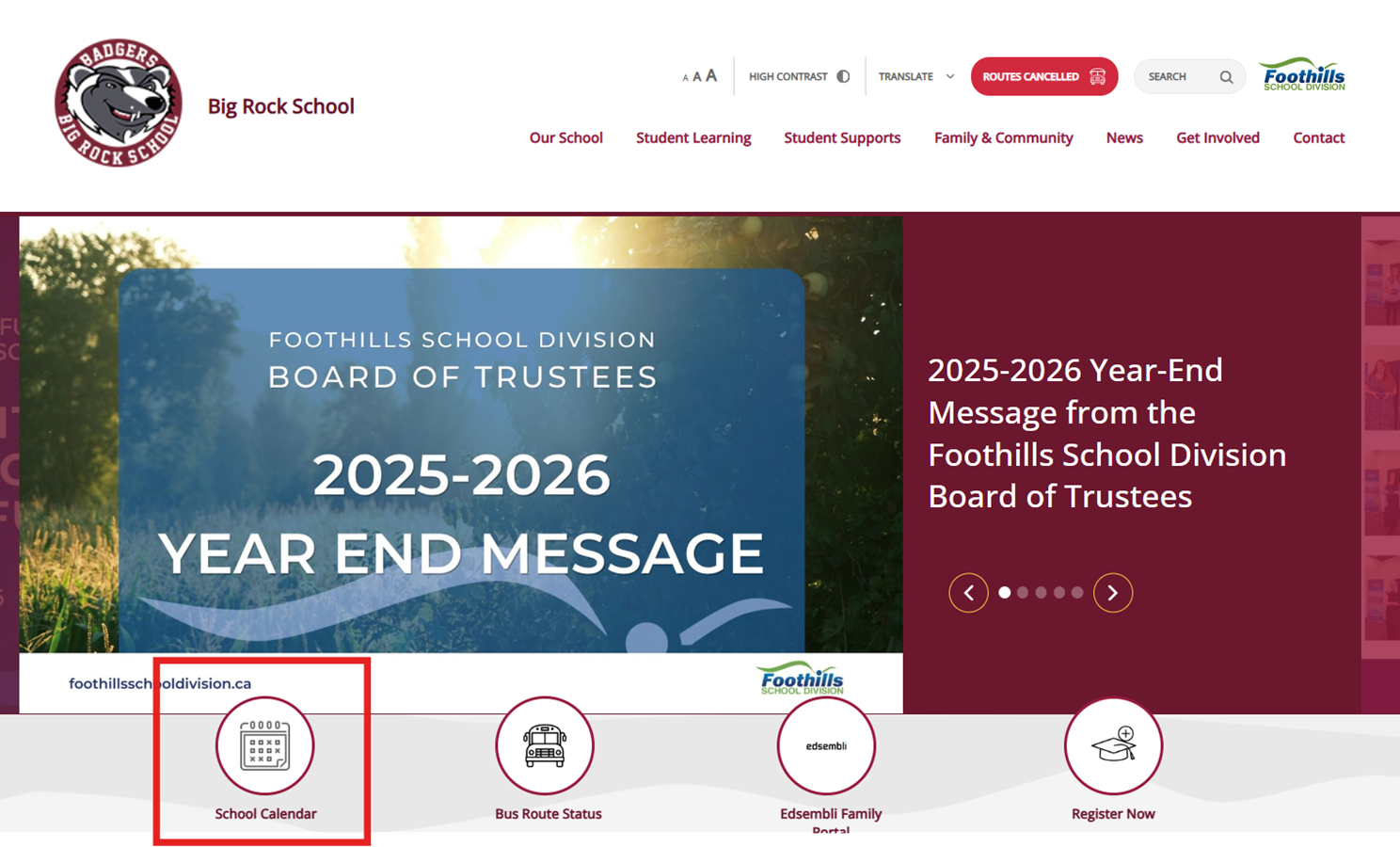
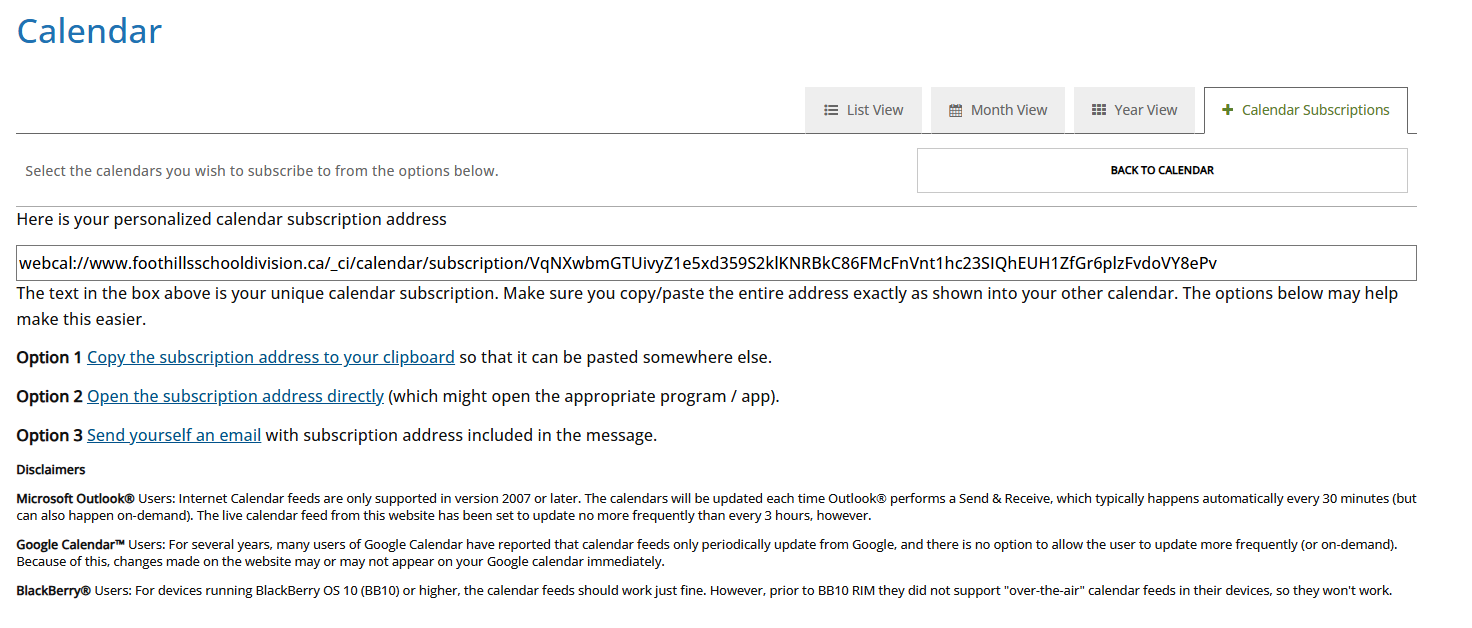
- Click on the "+ Calendar Subscription" tab
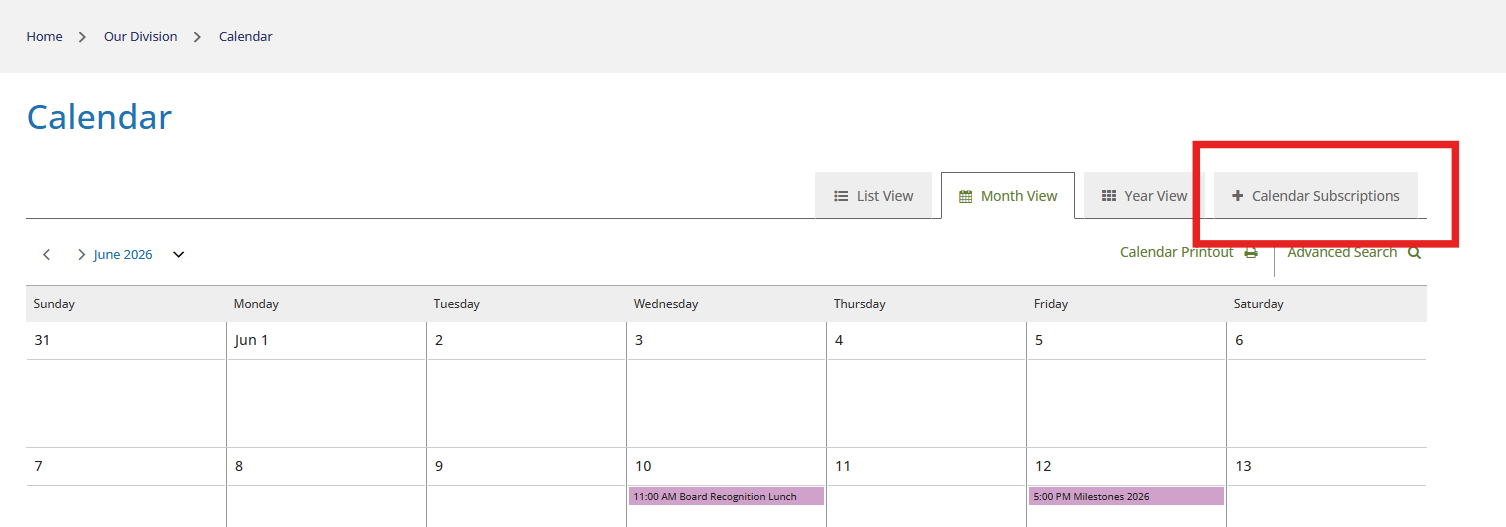
- Click "Subscribe"
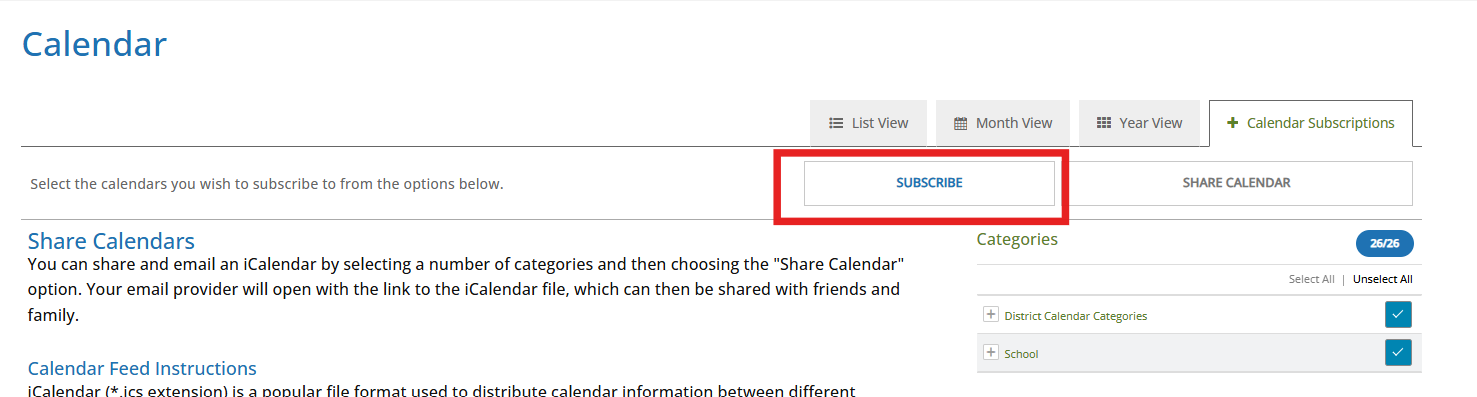
- Copy the link provided and follow instructions for your calendar/device
Families and staff are also encouraged to download the FSD App to get the latest news and access calendars, bus routes, and quick links to stay connected with the school and Division. Get the FSD App today.
